Springz Garage Door Repair
Model 98022

LiftMaster Elite Series DC Wall Mount Wi-Fi Opener: Specs, Service & Repair in Austin

Quick answer

Ceiling-free opener for doors up to 850 lbs, with battery backup. Call Springz with your exact model and address to discuss repair or installation options. Model support, stock and same-day appointments must be confirmed.
Call (737) 313-5700
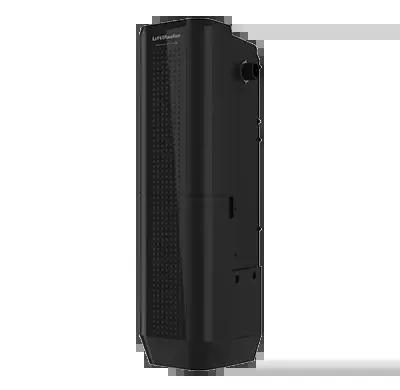
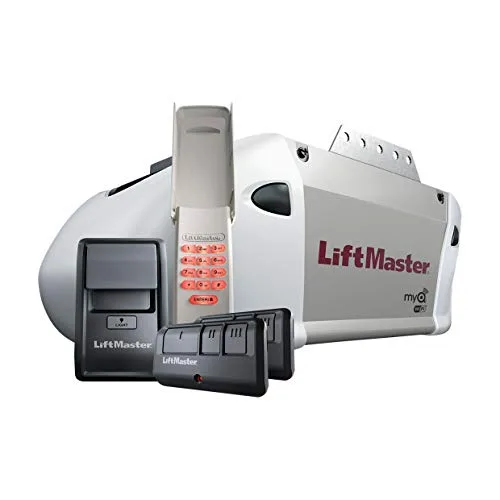
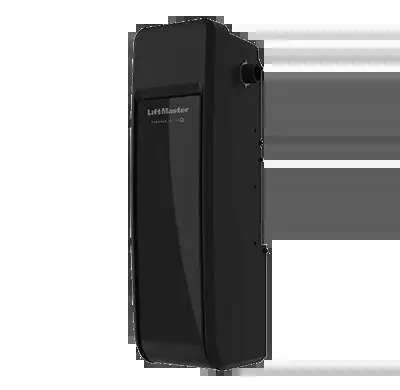
LiftMaster Elite Series DC Wall Mount Wi-Fi Opener, model 98022
Photo: LiftMaster

Current Offer

$200OFF

New Garage Door Motor

Offers apply to qualifying work. Confirm eligibility, availability and written terms before booking; no discount or appointment is reserved here.

The Springz take

Give your garage ceiling back to your plans.

Our take on the LiftMaster Elite Series DC Wall Mount Wi-Fi Opener

If an overhead motor and its long rail are getting in the way of your plans for the garage, a wall-mounted opener offers a different layout. It operates beside the door’s spring shaft instead of occupying the center of the ceiling.

Models covered: 98022

Access during a power cut

A backup battery can keep a compatible opener working when the power goes out. Check whether it comes with this model or costs extra.

Its charge is limited, and it only powers the opener.

View the published specs

Battery backup: Yes

Coming home after dark

Think about where you unload groceries or walk through the garage. Check which lights are included and where they shine.

Lumens tell you how much light is produced; watts are not a brightness rating.

View the published specs

Lighting: 1,000 lumens

A good fit for your home?

Planning overhead storage or trying to keep the ceiling area clear? This layout is worth checking before you design around an overhead motor.

The benefit only makes sense if your door hardware and available side space meet the model’s requirements.

What we’d check first

Wall-mounted openers do not fit every door. The spring system, side clearance, door size and weight all need checking.

A new opener also needs a door that is correctly balanced.

The bottom line

We recommend this layout for homeowners whose plans for the garage are being limited by an overhead motor and rail. On a compatible door, moving the opener beside the spring shaft clears the center of the ceiling for a different layout.

That can be a meaningful upgrade if you are planning overhead storage or simply want the space less obstructed. The reason to choose it is not novelty.

It is making room for the garage you actually want to use.

Let’s find the right fit for your home.

Call (737) 313-5700

Based on published product information, not hands-on testing. We’ll confirm the exact model and options before you order.

Is your Elite Series DC Wall Mount Wi-Fi Opener doing this?

Safety sensors blinking yellow or orange?

Check the exact model’s diagnostic guide; colors can indicate different states.

Motor hums but the belt or chain won’t move?

Often a stripped drive gear or a broken trolley.

Door opens a few inches, then stops and reverses?

Possible mechanical resistance, spring trouble or setup fault. Do not increase force to overcome binding.

What the blinking light by the Learn button means

Many LiftMaster, Chamberlain and Craftsman openers count out a problem with the small light next to the Learn button. Count the blinks between pauses.

1 blink

Safety sensors are misaligned or something is blocking them.

Clear the doorway and wipe both lenses. Nudge the sensors until both lights glow steady.

2 blinks

Sensor wires are shorted or hooked up wrong.

Look for a staple through the wire or a pinched spot. This one usually needs a tech.

3 blinks

The wall button or its wire is shorted or disconnected.

Check the wall button wire for damage. We can rewire or replace the button.

4 blinks

Safety sensors are cutting in and out.

Often a loose wire or a sensor bracket that gets bumped. Tighten the brackets and test again.

5 blinks

The motor is not reporting movement.

Stop using the opener. This points to a drive or motor problem.

6 blinks

The door kept moving after the motor stopped, as if it hit something.

Check for an obstruction and look at the springs. A heavy door can cause this.

7 blinks

The travel limits have not been set.

The opener needs its open and close points programmed. We set these on every install.

This chart is published for the Model 2500. Newer Security+ 2.0 and myQ openers flash the up and down arrows on the motor unit instead, and the exact meaning varies by model. Tell us the pattern when you call and we will look it up for your unit.

Source: LiftMaster Model 2500 diagnostic code chart (Chamberlain Group support)

Recorded specifications

LiftMaster Elite Series DC Wall Mount Wi-Fi Opener specifications

LiftMaster Elite Series DC Wall Mount Wi-Fi Opener specifications
Model98022
Product typeWall-Mount (Jackshaft) Openers
MotorDC
Lift capacityConfirm the rating, permitted size and installation configuration in the exact model’s current manufacturer documentation.
Lighting1,000 lumens
Battery backupYes
WarrantyConfirm current manufacturer limited-warranty terms for the exact model and purchase. Coverage, eligibility, exclusions and labor coverage vary; this listing does not establish a Springz warranty.

Honest advice

Repair or replace your Elite Series DC Wall Mount Wi-Fi Opener?

Fix it if…

  • Safety sensors need aligning or replacing
  • A drive gear or trolley is worn
  • The capacitor has failed
  • Remotes or keypads need programming

Replace it if…

  • The logic board is fried
  • The motor has died
  • Required entrapment protection is missing, damaged or cannot be verified
  • It lacks rolling-code remote security
See current LiftMaster models

Studies & standards

Research and standards for this product type

These sources explain general door and opener considerations. They are not tests, certifications or performance findings for the Elite Series DC Wall Mount Wi-Fi Opener; confirm exact-model features in its manufacturer documentation.

1993additional protection rules

Federal residential opener entrapment protection

U.S. Consumer Product Safety Commission

Federal entrapment-protection requirements apply to residential garage door operators manufactured on or after January 1, 1991. Additional requirements apply to units manufactured on or after January 1, 1993 for sale in the United States. Photoelectric sensors are one permitted form of additional protection; the rules also allow other specified arrangements.

Why it matters: Have an older opener, missing safety equipment or bypassed protection assessed by a qualified technician. Age alone does not establish the legal status or condition of an installed unit. Do not bypass safety devices.

For the Elite Series DC Wall Mount Wi-Fi Opener: confirm the exact model, manufacture date, required safety equipment and installation instructions. This general regulation is not evidence that this particular unit complies or operates safely.

2024federal amendment published

Federal Register Direct Final Rule

Consumer Product Safety Commission

CPSC published a direct final rule on March 14, 2024, amending specified entrapment-protection provisions in 16 CFR Part 1211. The rule states an effective date of May 13, 2024, absent significant adverse comment. It reflects UL 325 changes CPSC approved in June 2023; it does not adopt every provision of the newest UL 325 standard.

Why it matters: Regulatory requirements change over time. Compare the exact unit’s documentation and manufacture date rather than assuming every newly installed opener has the same certification or safety features.

For the Elite Series DC Wall Mount Wi-Fi Opener: request the manufacturer’s applicable compliance documentation and installation instructions. This rule does not independently verify this model’s certification, factory testing or safety relative to an older opener.

SB 969California requirement

California Senate Bill 969 (2018)

California Legislature

Beginning July 1, 2019, California law requires a battery-backup function for residential automatic garage door openers manufactured for sale, sold, offered for sale or installed in California. It also restricts connecting a replacement residential garage door to an existing opener without the required backup function. This is a California requirement, not a nationwide requirement.

Why it matters: A charged, functioning backup battery can operate a compatible opener during an electrical outage. Runtime and available features depend on the model, battery condition and operating conditions.

For the Elite Series DC Wall Mount Wi-Fi Opener: confirm whether battery backup is included, optional or unavailable for the exact model. Backup power is limited and does not guarantee access during every outage or equipment failure.

Sensorsmodel-specific meanings

Garage Door Operator Safety

U.S. Consumer Product Safety Commission

Photoelectric sensors are one type of entrapment-protection device. On systems using them, an interrupted beam can prevent closing or trigger reversal as described in the manufacturer’s instructions. Indicator-light meanings vary by model.

Why it matters: An unexpected sensor indication needs investigation using the exact model’s manual. A light alone does not prove that the complete safety system is working. Do not bypass the sensors.

For the Elite Series DC Wall Mount Wi-Fi Opener: check the manual for sensor indicators and the prescribed safety tests. Ask the installer to explain the tests and record the results.
Find your model

Is this your LiftMaster?

The model number is on a sticker on the side or back of the motor unit on the ceiling, or on the side of a wall-mount unit next to the door. Match it to the numbers below to be sure you are on the right page.

  • LiftMaster 98022

Check the Learn button color

The color of the Learn button on the motor unit tells you which remotes and keypads will work.

Green

1993 to 1995

Billion Code, 390 MHz

Orange or red

1996 to 2005

Security+, 390 MHz

Purple

1996 to 2005

Security+, 315 MHz

Yellow

2011 and newer

Security+ 2.0, 310/315/390 MHz

Source: LiftMaster accessory compatibility chart

Parts to discuss for the Elite Series DC Wall Mount Wi-Fi Opener

The list describes component types, not confirmed inventory or exact-model compatibility. Ask which parts fit your unit, what is in stock and whether another visit may be needed.

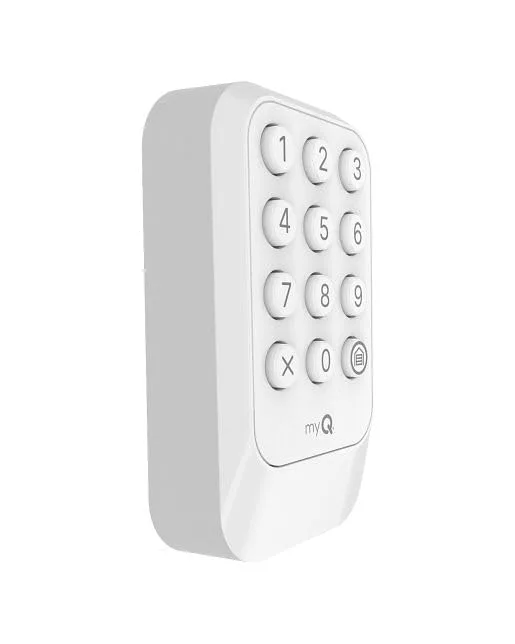
  • 893MAX 3-button remoteWorks with LiftMaster openers made since January 1993.
  • 893LM Security+ 2.0 remoteMatches yellow Learn button openers like the 8365W-267.
  • Safety sensor pairsThe most common reason a door won’t close.
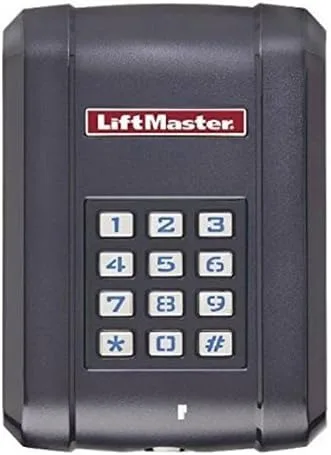
  • Wall controlsFor a dead button or a wire a staple cut.
  • Drive gears and trolleysThe usual fix when the motor hums but nothing moves.

Local know-how

How the Elite Series DC Wall Mount Wi-Fi Opener handles Central Texas

  • Check the manufacturer’s operating-temperature limits and backup-battery maintenance schedule for the exact model.
  • A thermal-protection indication needs model-specific diagnosis. Stop repeated attempts; cooling alone does not establish safe operation.
  • Check accessible sensor lenses for dirt without opening electrical covers; use the maker’s cleaning instructions.

Near you

Repairing LiftMaster in your neighborhood

Questions

Elite Series DC Wall Mount Wi-Fi Opener FAQs

Why is the light by the Learn button on my Elite Series DC Wall Mount Wi-Fi Opener blinking?

The opener is flashing a problem code. One blink usually means the safety sensors are blocked or out of line.

Count the blinks, then match the number to the diagnostic chart above. Start with the easy fixes: wipe both sensor lenses, clear anything in the doorway, and check that both small lights on the sensors glow steady. Austin garages collect dust and pollen that can cloud a lens. If the code points to wiring or the motor, stop running the opener and call Springz. Pressing the button over and over will not clear a real fault.

Still stuck? Call (737) 313-5700 and ask about same-day availability for your address and model.

Why does my Elite Series DC Wall Mount Wi-Fi Opener go down and then back up?

Usually the safety sensors are blocked, dirty or knocked out of line.

The sensors near the floor send a beam across the doorway. If anything breaks the beam, the door reverses on purpose so it cannot close on a person, pet or car. Clean both lenses and look at their lights: one steady and one blinking means they are out of line. If the sensors look fine, the close force may need adjusting or a weak spring may be making the door feel heavy to the opener. Do not turn the force all the way up to make it close. That turns off a safety feature.

Still stuck? Call (737) 313-5700 and ask about same-day availability for your address and model.

My Elite Series DC Wall Mount Wi-Fi Opener hums but the door doesn’t move. What now?

Stop pressing the button. A hum usually means a stripped gear, a failed capacitor or a broken spring holding the door down.

When the motor hums and nothing moves, it is trying to turn but something is stopping it. Look up at the springs above the door from a safe distance. A visible gap in a spring means it has broken, and the door now weighs too much for the opener. If the springs look whole, the problem is usually inside the motor unit. Running it more can burn out the motor and turn a small repair into a full replacement.

Still stuck? Call (737) 313-5700 and ask about same-day availability for your address and model.

Why does my Elite Series DC Wall Mount Wi-Fi Opener beep or chirp?

On openers with battery backup, a chirp usually means the battery is low or worn out.

Battery backup keeps the door working when the power goes out, and the opener chirps to warn you the battery needs attention. Heat in an Austin garage wears batteries out faster, so plan on replacing it every few years. If the chirping continues with a new battery, the opener may have another warning to report, and we can check it on a visit.

Still stuck? Call (737) 313-5700 and ask about same-day availability for your address and model.

Can my Elite Series DC Wall Mount Wi-Fi Opener lift a heavy or insulated door?

The opener only guides the door. The springs do the lifting.

A balanced door should feel light when you lift it by hand with the opener disconnected and stay put about halfway up. If it feels heavy or slams down, the springs are worn or the wrong size, and no opener will run well on that door for long. Insulated and wood doors weigh more, so the springs must be sized for that weight. Fix the springs first, then the opener will last longer and run quieter.

Still stuck? Call (737) 313-5700 and ask about same-day availability for your address and model.

How do I open my garage if the power is out?

With the door closed, pull the red emergency release cord, then lift the door by hand.

The red cord disconnects the door from the opener so you can move it manually. Only pull it when the door is fully closed. Pulling it on an open door can let the door drop fast if a spring is broken. If the door feels very heavy or will not stay up, stop and call us. That points to a spring problem. To reconnect, pull the cord again or run the opener once the power is back.

Still stuck? Call (737) 313-5700 and ask about same-day availability for your address and model.

Will my car’s HomeLink work with the Elite Series DC Wall Mount Wi-Fi Opener (model 98022)?

Often yes, but some cars need a small bridge to work with newer Security+ 2.0 openers.

Many newer LiftMaster and Chamberlain openers use Security+ 2.0, which has a yellow Learn button. Some older HomeLink systems were built before this code system existed, so they need a compatibility bridge plugged in near the opener. Tell us your car’s year and model and we will tell you before the visit whether a bridge is needed. We can program it while we are there.

Still stuck? Call (737) 313-5700 and ask about same-day availability for your address and model.

Common problems

Is your Elite Series DC Wall Mount Wi-Fi Opener acting up?

Motor hums or clicks but the door won’t move

See the fix

Door reverses or light blinks (safety sensors)

See the fix

Opener strains on a heavy door (likely springs)

See the fix

Door stuck open or closed after hours

See the fix

Loud, jerky or slow travel

See the fix

Time for a new opener

See the fix

Inside the product

LiftMaster technology explained

myQ

Chamberlain Group’s smart-access platform for monitoring and controlling the door from a phone over Wi-Fi or Bluetooth.

Security+ 2.0

Rolling code that sends a new code with every click over multiple frequencies, with roughly double the range of standard remotes.

Security+ 3.0

Current encrypted rolling code on newer openers like the 6580L and 6690L, backward compatible with LiftMaster openers made since January 1997.

PosiLock

Electronic lock that monitors the door to help prevent forced opening.

The Protector System

Photoelectric entrapment-protection system. Closing and reversal behavior, indicator meanings and any constant-pressure operation depend on the exact opener and instructions. Do not bypass safety equipment.

General safety and industry references

UL 325 / 16 CFR Part 1211

Federal law requires residential garage door operators manufactured on or after January 1, 1991 to meet applicable entrapment-protection requirements. Additional requirements apply from January 1, 1993. A direct final rule published March 14, 2024 amended specified provisions. These general requirements do not establish compliance of any particular model or installation.

16 CFR 1211.6 entrapment protection

Section 1211.6 requires inherent primary entrapment protection and, for vertically moving residential operators, one of the specified additional arrangements: qualifying constant-pressure control, provision for an external secondary device, or qualifying inherent secondary protection. Consult the regulation and exact model’s instructions.

CPSC oversight of UL 325

CPSC administers the federal residential garage door operator safety rule. Photoelectric sensors are one permitted form of secondary protection; the applicable requirements do not establish that every model uses photo-eyes or alignment indicators.

LiftMaster Elite Series DC Wall Mount Wi-Fi Opener repair & installation in Austin

Whether your Elite Series DC Wall Mount Wi-Fi Opener needs a repair, a tune-up or a full installation, Springz covers Austin, Pflugerville, Lakeway, Round Rock area, Buda, Kyle, San Marcos, Dripping Springs, Bee Cave and West Lake Hills. Find the model number on the label on the opener motor head and tell us when you call.

Sources

These recorded specifications may describe a product family or revision. Confirm the exact model, manufacture date, included accessories, warranty and current availability against the manufacturer documentation and the label on your unit. Springz is an independent service company and is not affiliated with or endorsed by LiftMaster.

Need help with your LiftMaster Elite Series DC Wall Mount Wi-Fi Opener?

Call for 24/7 emergency service enquiries in the Austin area. Confirm the appointment window, exact-model support and parts availability before booking; same-day visits are subject to availability.

(737) 313-5700

CallSpringz.com

Call Now